 Trawlr
Find any file before you finish typing.
Trawlr lists every matching file and folder on your computer as you type, and keeps up as files are created, renamed and deleted. No rescans, no waiting. Free and open source, for Linux, Windows and macOS.
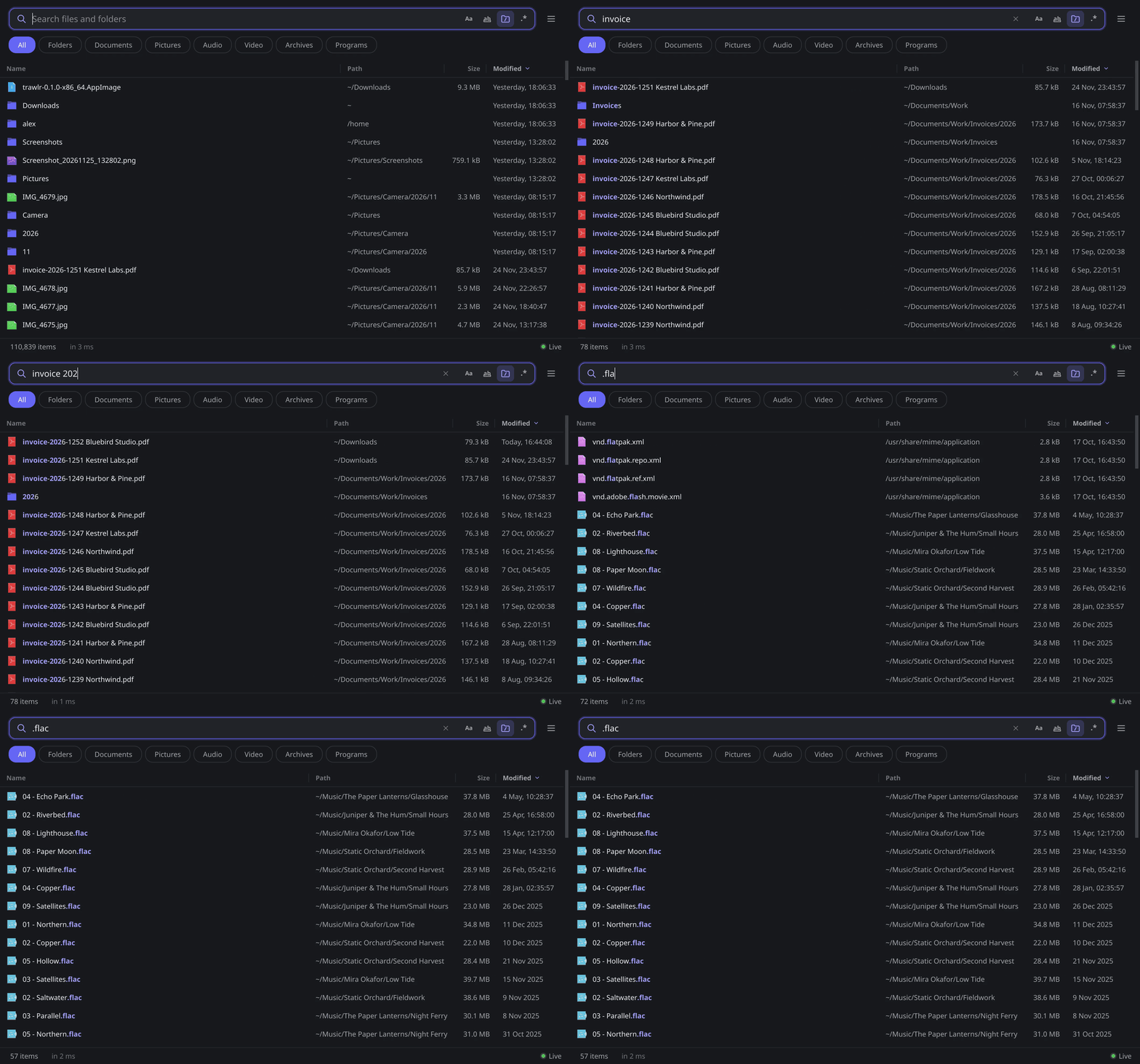
Fast because it never walks the disk
Most search tools crawl folders on a schedule, so they are slow to build and always a little out of date. Trawlr keeps every file name in memory and listens to the changes the operating system already records, so its index is built in seconds and is never stale.
Typical search
Across 2.8 million files and folders on a laptop. Every keystroke updates the results.
New files show up
A file created while a search is open appears in it straight away. Deleted files vanish just as fast.
To start
The index is saved at shutdown and checked against the disk at start, so changes made while it was off are found too.
Per file
About 190 MB of memory for 2.8 million entries. Trawlr reads names, sizes and dates, never file contents.
Linux
A system service watches each disk with a single filesystem-wide fanotify mark, so the kernel reports every change, however many folders there are.
Windows
A Windows service reads each NTFS drive's master file table directly (a million files in about two seconds) and follows its change journal.
macOS
A launchd daemon reads folders in bulk and follows FSEvents, whose history lets it carry on where it left off after a restart.
Keyboard first
A global hotkey brings up the window from anywhere. Open, open the folder, copy, or run in a terminal without touching the mouse.
Say exactly what you mean
You don't need to learn anything: type part of a name, or an extension like .pdf. When that isn't enough, the search syntax below will be familiar to anyone who has used voidtools' Everything on Windows.
| Search | Finds |
|---|---|
tax 2025 | names containing both words |
.pdf | PDFs: just type the extension |
photos/ beach | a term with / matches the path, so: “beach”, somewhere under a photos folder |
size:>1gb, dm:lastweek | by size or date modified |
video: !sample | by kind, leaving some out |
regex:^IMG_\d{4}\.jpe?g$ | regular expressions, when nothing else will do |
The full syntax is in the README. There is a trawlr command for the terminal too: trawlr ext:iso size:>1gb.
Download
Version 0.1.0. Installing needs an administrator, because the indexing service reads every disk; then administrators can search, and you can let others in. Checksums and release notes are on the release page.
Windows Your system
Windows 10 or 11, x64.
Download installer (.exe)- Not code-signed: if SmartScreen stops it, click More info, then Run anyway.
macOS Your system
macOS 12 or newer, Apple Silicon and Intel.
Download installer (.pkg)- Not signed with an Apple Developer ID, so right-click it and choose Open the first time.
- Then give the daemon Full Disk Access.
- Or with Homebrew:
brew install --cask samuelcgilbert/trawlr/trawlrLinux Your system
Linux 5.9 or newer with systemd. Pick your distribution and processor; on Linux Mint, Pop!_OS and other derivatives, use the file for the release it is based on.